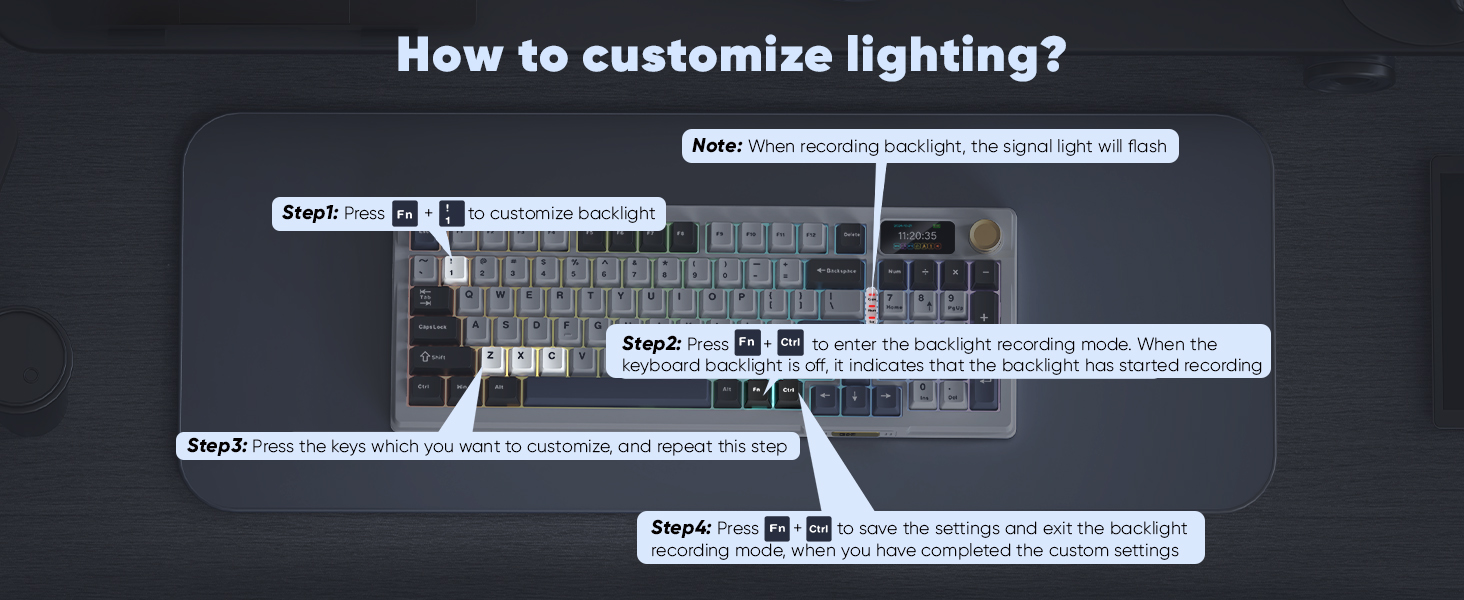
Tips: FN+\|=Toggle Backlit Effect, FN+Delete=Toggle Backlit Color, FN+↑↓←→=Toggle Light Brightness/Speed,FN+!1=Game Backlight Mode,FN+!1 and FN+Ctrl(right)=Custom key RGB light , FN+Tab=Custom Side LOGO Light.
Before use, toggle the switch to the correct system/connection mode position. Charge via the computer's USB port using the original charging cable (DC: 5V).
bit.ly/K95US
Copy the link above to the search bar & run the driver via wired mode.
How to correct the time/volume on the screen?
Click K95 driver in wired mode via Windows computer, screen time and volume are automatically synced.
How to download the software?
bit.ly/K95US
Why the keyboard becomes disconnected in the BT mode?
When the battery level is low, the keyboard cannot support the BT function normally, Please re-update the BT function of the device and fully charge the keyboard.
How to use custom GIF images?
Upload an image or gif in wired mode via the K95 software on your Windows computer.
How to charge K95 keyboard?
1. Use the original charging cable to charge through the computer's USB port.
2. When the battery is depleted, there may be a brief wait for the charging response.
3. It is recommended to start charging when the battery level is at 2 bars.
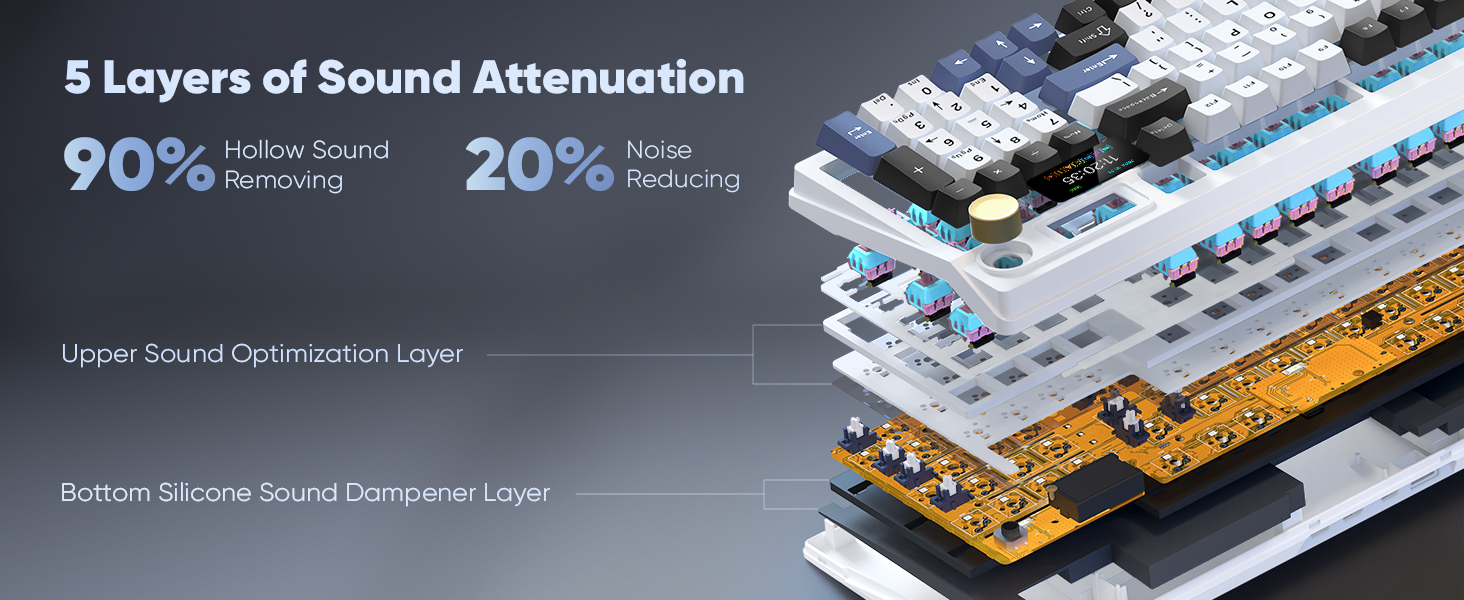
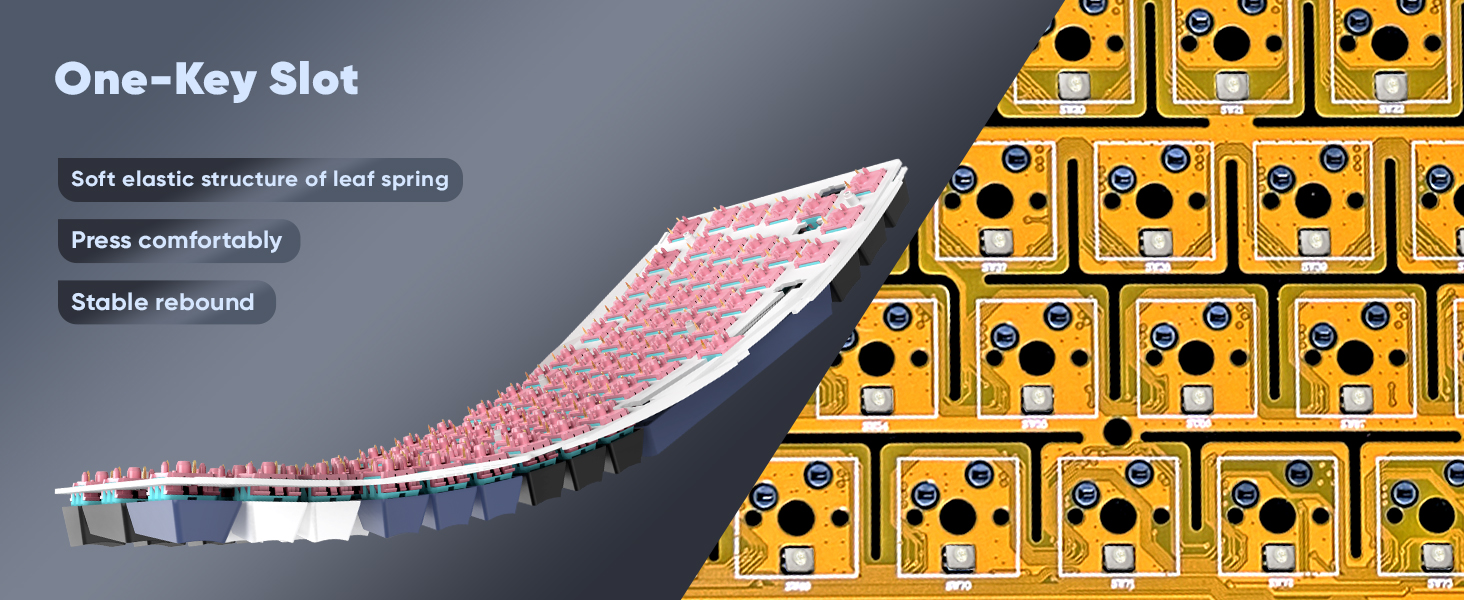
The Gasket structure is typing stable, pressing comfortable, and bring you a relaxing typing experience.
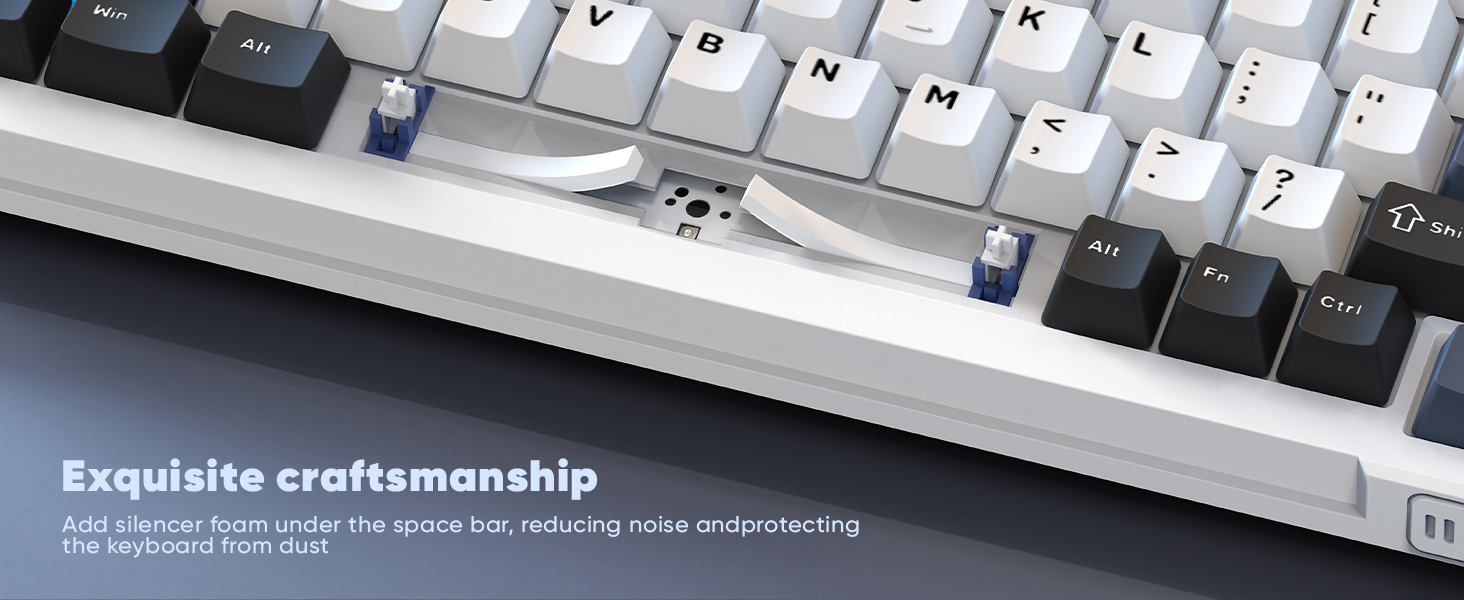
Five-Layer Padding Eliminates Most of the Noise and Resonance of the Keyboard
The 3PIN and 5PIN hot-swappable keyboards allow you to easily achieve your ultimate customization.
The south-facing light can meet a variety of keycaps such as side-engraved keycaps.
Customize full RGB lighting settings via K95 driver.
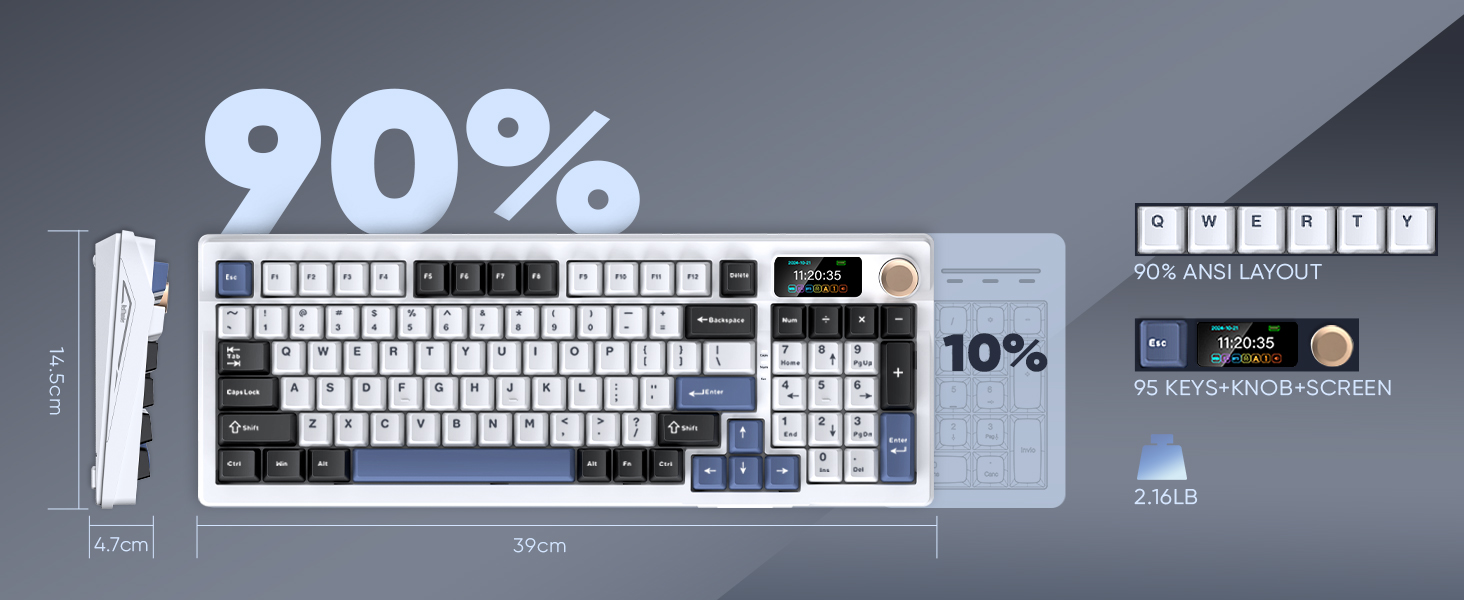
Customize RGB lighting settings via TFT screen and CNC knob.
Customize RGB lighting settings via the following shortcuts
Copy the link "
" to the search bar and run the driver via wired mode on your windows computer.
Customize the keys, RGB light modes, and screen images/Gifs in
and
.
Screen time and volume are automatically synced with your Windows computer when the K95 driver is running in wired mode.
Click K95 driver in wired mode via Windows computer, screen time and volume are automatically synced.
Long press and rotate the CNC knob to adjust screen time.
Wired mode: Use the original cable with data transmission function.
BT mode: Long press Fn+Q/W/E to connect BT1/2/3 devide, short presss Fn+Q/W/E to switch BT1/2/3 devide,
2.4 G mode: Paired by default at the factory. FN + R can re-pair with the USB receiver.
bit.ly/K95US








Product description
Gasket Mechanical Gaming Keyboard with Five-Layer Padding
Gasket Gaming Keyboard
Full-Key Hot-Swap Functionality with 2 in 1 Keycap & Switch Puller
Hot Swappable Keyboard
Vibrant RGB Backlight
Vibrant RGB Backlight
Download the software and custom image/Gif
aplus content video
How to correct Screen Time?
K95 Gaming Keyboard Screen Time
Tri-mode Dual-system Muti-device
Tri-mode Dual-system for multi-device
K95 Driver Link
About
is a manufacturer specializing in high-performance professional game peripherals. We are committed to providing high-quality and personalized products for global gamers.
We have relentlessly pursuing perfect craftsmanship, first-class feel, high-performance professional gaming equipment and high-standard service. Your satisfaction is our driving force.
Visit the Store
Visit the Store
Visit the Store
Visit the Store
Visit the Store

From the brand


